
Resource Center
A Step-By-Step Guide to Changing the Default Unit of Measurement in Adobe InDesign
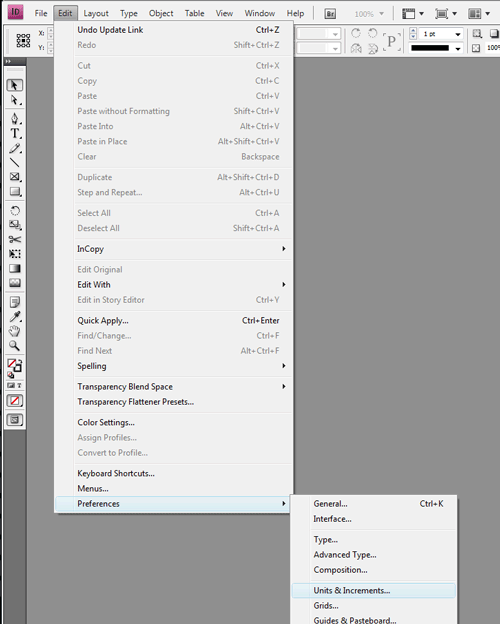
Open the Adobe InDesign Preferences:
Open the Preferences Menu by clicking on "Edit" -> "Preferences" -> "Units & Increments"
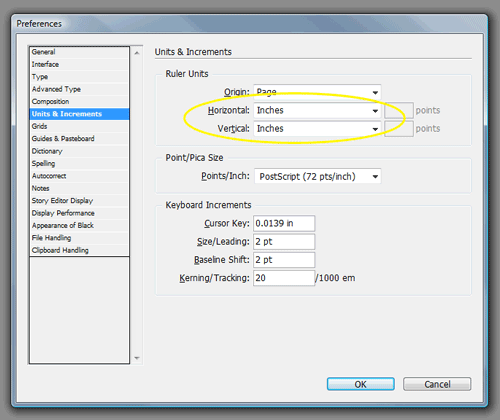
Edit the Adobe InDesign Units & Increments Preferences:
Select "Inches" from both the "Horizontal" and "Vertical" fields in the "Ruler Units" box.
Click "OK" to save changes.